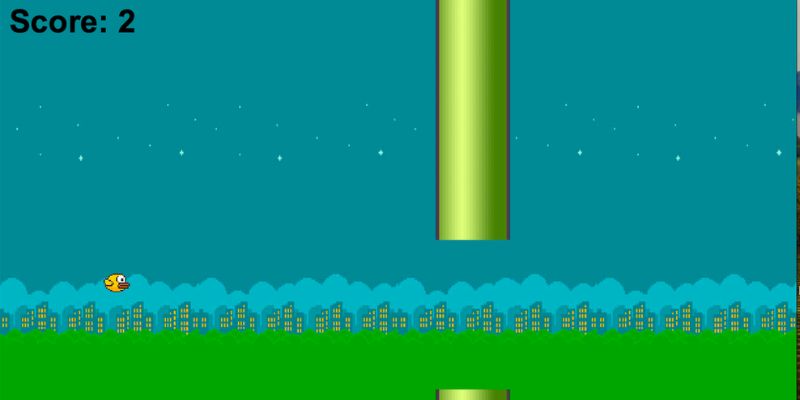
Most developers instantly think of game engines or scripting languages when they consider creating a game similar to Flappy Bird. However, by considering each game element as structured data, you may use SQL to creatively replicate a simplified version of the game. You concentrate on the places, logic, and conditions that are kept inside database tables rather than the visuals. FITA Academy provides hands-on SQL training with real-time projects, helping learners master database concepts and query optimization confidently.
You can effectively transform your database into a lightweight gaming engine by changing rows to mimic movement, gravity, and collision detection. This method is a great way to reinforce your SQL basics in a useful and entertaining way, although it might not be a perfect substitute for conventional development tools. This blog will teach you how to use a database environment to model game mechanics, create tables, apply logic using stored procedures and queries, and simulate scoring.
Understanding the Core Mechanics of Flappy Bird
You must comprehend Flappy Bird’s mechanics before you can write questions. The four main components of the game are gravity, horizontal pipe movement, scoring, and vertical bird movement. Gravity causes the bird to sink downhill continuously; the player must tap to make it rise. The bird must fly between gaps in pipes that are moving toward it at a set speed. The game is over if the bird hits the ground or a pipe.
The score rises with each successful pass. When converting this into SQL logic, collisions are represented as conditional tests, movement as changes in a numeric value, and gravity as repetitive downward updates. By dissecting the game into quantifiable parts, you may use organized database operations instead of visual animation tools to govern every aspect.
Using SQL for Game Logic and State Management
Although SQL was created to manage structured data, it also has stored procedures, conditional logic, and triggers that enable basic simulations. Every “game tick” can be thought of as a cycle of database updates. SQL modifies the score, moves obstacles horizontally, checks for collisions, and changes the bird’s vertical position during each tick. You update rows in tables that show positions and states rather than graphically presenting frames.SQL Training in Chennai offers hands-on learning, real-time projects, and expert mentorship to build strong database and query management skills
By combining several updates into a single logical unit, stored procedures help to create a structured and predictable game flow. Collisions can be automatically detected by triggers following updates. By considering SQL as a rule-based engine instead of merely a query tool, you open up innovative options that improve your understanding of databases and your ability to solve problems.
Setting Up the Database Structure
The project’s foundation is a carefully thought-out database model. To store the position and life status of the bird, first create a Player table. Next, make an Obstacles database to record gap ranges and pipe locations. To keep track of the player’s current score, add a score table. Lastly, add a Game_State database to monitor if the game is over or still running. Every table should have well-defined data types and distinct primary keys. While the bird’s Y position fluctuates dynamically, its X position may stay fixed. Along the X-axis, obstacles will constantly change positions. Every component of the game has a designated storage place thanks to its well-organized design. It is considerably simpler and easier to apply logic when your schema is well-structured.
Creating Game Logic with SQL Queries and Procedures
You can apply the game logic after your tables are prepared. A UPDATE query that lowers the bird’s Y position with each tick can be used to imitate gravity. The Y value is momentarily increased by a leap action. With every tick, obstacles move by moving their X positions. These activities can be combined into a stored function called RunGameTick(), which sequentially performs collision checks, movement, gravity, and score updates.
Your primary game loop is this process. Using procedural SQL extensions like PL/SQL or T-SQL, you can automate the process rather than continuously writing distinct manual queries. You can preserve a clear structure and guarantee consistent updates throughout the simulation by logically grouping operations. The SQL Training Institute in Chennai focuses on practical, industry-oriented preparation, enhancing database management, query writing, data analysis, and performance optimization skills through real-time projects and hands-on practice.
Implementing Scoring and Collision Detection
Conditional logic is the only method used in SQL for collision detection. At each tick, you compare the bird’s position with the locations of the obstacles. You update the bird’s status to “not alive” if its Y position is outside the specified gap range and it has the same X coordinate as a pipe. The game is essentially terminated by this condition. The scoring process is the same. You increase the score value in the Score table when the bird’s X coordinate crosses the X coordinate of an obstacle without causing a collision. Triggers that run automatically in response to position updates can be used to carry out these tests. This approach maintains the consistency and responsiveness of your reasoning. You can replicate essential gameplay rules right in the database by using WHERE clauses, logical operators, and comparison conditions.
Connecting SQL to a Simple Front-End Interface
The game logic is managed by SQL, but you can see gameplay by connecting it to a simple front-end interface. Using PHP, Python, or JavaScript, a basic web application can periodically retrieve updated positions from the database. The interface then uses the values that were retrieved to visually represent the bird and obstacles. Some of the best SQL are used in data analysis. Positions can be represented by characters or symbols in even a simple console application. The front end just reads data and renders it; it doesn’t have to deal with logic. Real-world software design is mirrored in this division of logic and visualization, where databases handle processing and interfaces handle presentation. Including a front end improves user engagement and gives the project a more genuine feel.
Optimizing Performance for Smooth Execution
Performance optimization is important despite the project’s tiny size. To expedite lookups, use indexed columns for values that are frequently compared, such position_x. When a single combined query can handle updates, avoid performing numerous pointless inquiries inside loops. Instead of constantly removing and re-inserting impediments, reset them when they move off-screen. Avoid making the same calculations twice and keep your stored methods short. Finding bottlenecks can also be aided by keeping an eye on query execution strategies. Every game tick proceeds without hiccups thanks to an effective query design. You will be better equipped to manage larger databases and real-world systems where performance is crucial by practicing optimization strategies in this project.
Common Mistakes to Avoid
A common error made by novices is to overcomplicate the schema by include superfluous relationships or an excessive number of tables. Keep your structure straightforward and concentrate on the most important aspects of the game. Ignoring boundary criteria, like the bird going below zero or surpassing the maximum height, is another frequent problem. Constraints should always be applied to avoid invalid values. Steer clear of too many triggers that could impede performance or lead to logical contradictions. You can also run SQL queries. Additionally, don’t expect real-time gaming performance because SQL isn’t made for fast animation. Pay more attention to data handling and logic flow than to aesthetic perfection. You may reduce confusion and increase maintainability by keeping your implementation neat and organized.
Expanding the Game with Advanced Features
You can add more features to your basic version after it functions properly. Increase obstacle speed progressively to introduce different levels of challenge. Use ORDER BY queries to add more players and keep track of their scores in a leaderboard database. To examine performance patterns, you can also log timestamps for every game session. Try incorporating progressive speed changes, dynamic obstacle spacing, or bonus points. Your comprehension of relational database architecture and sophisticated SQL operations is enhanced by these enhancements. You can turn a straightforward learning activity into an imaginative portfolio piece by extending the assignment. More significantly, you show that SQL is not just for conventional data storage; with creative use, it can fuel logical simulations.