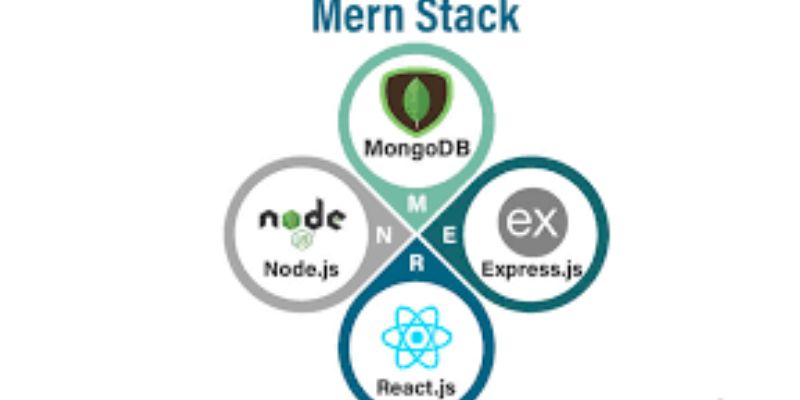
One of the best options available to you if you want to become a full-stack developer is the MERN stack. The four potent technologies that make up MERN MongoDB, Express.js, React, and Node.js combine to create cutting-edge, scalable online apps. Because MERN employs JavaScript throughout the entire stack, from frontend to backend, businesses adore it. This implies that you can create full apps by learning just one primary language.
MERN is used by startups, product firms, and even big businesses to build quick, dynamic, and data-driven platforms. MERN is important for everything from social media apps to e-commerce websites. You may construct real-world projects with confidence and be eligible for full-stack developer positions if you follow the correct procedures and practice regularly. FITA Academy offers industry-focused MERN Stack training covering MongoDB, Express.js, React, and Node.js. Let’s take a look at some easy, doable steps to help you learn MERN.
Step 1: Understand the MERN Stack Architecture
Know the connections between the four technologies before you start creating code. The database in which you keep application data is MongoDB. Express.js facilitates the development of backend APIs and runs on Node.js. The front-end user interface is constructed using React. The runtime environment that runs JavaScript on the server is Node.js. The React frontend is where the user interacts with a standard MERN application. React uses APIs to send requests to the Express/Node backend. After processing the request and communicating with MongoDB, the backend returns data to the frontend.
You stop remembering lessons and begin to think like a developer once you have a clear understanding of this flow: frontend → API → backend → database → response. The key to comprehending MERN is this architectural clarity.
Step 2: Set Up Your Development Environment
You must have the appropriate tools installed before you can begin practicing. Installing Node.js first includes npm (Node Package Manager) by default. Installing libraries and dependencies is made simple with npm. MERN Stack Course in Chennai provides comprehensive full-stack development training with hands-on case studies and industry-focused mentoring. Next, use MongoDB Atlas, a cloud-based database service, or install MongoDB locally. Because Atlas removes the difficulties associated with local configuration, it is frequently simpler for novices to utilize.
Select an editor for code, such as Visual Studio Code. Install useful debugging, JavaScript, and React extensions. Lastly, become familiar with basic terminal commands. The command line will be used often to operate servers, install packages, and run scripts. A neat development environment facilitates learning and keeps you from experiencing technical annoyance in the beginning.
Step 3: Learn MongoDB for Database Management
A NoSQL database called MongoDB uses adaptable documents that resemble JSON to store data. MongoDB does not require rigid table architectures, in contrast to conventional relational databases. It is perfect for contemporary applications because of its adaptability. Use the MongoDB shell or MongoDB Compass to practice writing queries. The MERN Stack Training Institute in Chennai focuses on practical, project-oriented preparation, enhancing front-end and back-end development, database management, and full-stack application deployment skills.
Next, see how to use Mongoose to integrate MongoDB with a Node.js application. You can define schemas and communicate with the database more effectively with Mongoose. Make a basic user model, for instance, with fields for name, email, and password. Use API endpoints to insert and retrieve sample data. Practical experience boosts self-esteem and simplifies backend development.
Step 4: Build Backend Applications with Node.js and Express.js
Now concentrate on developing the backend. Express.js makes server setup and routing easier, and Node.js lets you run JavaScript on the server. Make a simple Express server first. Discover how to define GET, POST, PUT, and DELETE routes. RESTful APIs are built on these routes.
Use Mongoose to link your server to MongoDB. Create basic API endpoints that can be used to create users, retrieve all users, or update user data. Use tools such as Postman to test your APIs. Sort routes, controllers, and models into distinct folders to appropriately organize your project. A well-designed structure makes things easier to manage and gets you ready for bigger undertakings. Proficiency in the backend guarantees the scalability, security, and functionality of your applications.
Step 5: Create Dynamic User Interfaces with React
Your MERN application’s front end is managed by React. It enables you to effectively manage dynamic data and create reusable user interface elements. Learn state, props, components, and JSX first. Recognize how components are re-rendering in React when data changes. Next, handle state and side effects using hooks like useState and useEffect. It will be useful to know the benefits of mern uses.
Make easy projects like a form submission app or a to-do list. Practice displaying API data and managing user input. Next, create numerous pages in your application by learning how to use React Router for routing. The component-based architecture of React organizes and scales work. It’s lot simpler to create intricate interfaces if you understand the basics of React.
Step 6: Connect Frontend and Backend Using APIs
You become a real full-stack developer after completing this phase. To deliver HTTP queries to your Express backend in React, use fetch or Axios. For instance, React makes a POST request to the backend API when a user fills out a registration form. After sending a response, the backend saves the data in MongoDB. React then modifies the user interface appropriately.
To enhance the user experience, handle error warnings and loading statuses. To enable communication between frontend and backend servers, make sure your backend has enabled CORS. The true potential of the MERN stack is revealed when all three layers React, Express, and MongoDB are successfully connected. Employers seek full-stack engineers with this integration skill.
Step 7: Implement Authentication and Security
When developing a modern website, security is crucial. Start by utilizing JWT (JSON Web Tokens) to implement user authentication. Establish registration and login pathways. Prior to being stored in the database, passwords are hashed using bcrypt. After a successful login, create JWT tokens and use middleware to secure private routes.
Learn about environment variables as well in order to protect private information such as secret keys and database URLs. To stop typical attacks like injection, validate user input. Your projects are ready for production when authentication is properly implemented. Proficiency in security sets you apart from novices and boosts your interview credibility.
Step 8: Build and Deploy a Complete MERN Project
Create a whole project in order to fully understand MERN. Make an e-commerce application, task organizer, or blog platform, for instance. Incorporate CRUD functions, API connection, and user authentication. Deploy your backend to Render or Railway platforms after development is complete. Install your React frontend on platforms such as Vercel or Netlify. When hosting databases in the cloud, use MongoDB Atlas.
Discover how to resolve deployment issues and manage environment variables in production. Since many novices stop at local development, deployment experience is quite helpful. Your confidence soars when you view your project in real time online. You are now a developer instead of a learner.
Step 9: Improve Coding Skills and Project Structure
Gaining mastery takes time. Practice regularly. To make your code more efficient and readable, refactor it. Observe naming conventions and clean coding guidelines. Use Node.js logs and browser developer tools to learn debugging techniques. Gain a thorough understanding of error management.
Investigate more complex subjects like Next.js for enhanced performance or Redux for state management. If you want to create scalable apps, learn the fundamentals of system design. Participate in open-source initiatives or work together with others. Collaboration in the real world enhances problem-solving and communication abilities. Your portfolio gets stronger the more authentic projects you create.
Your Roadmap to MERN Mastery
Following systematic stages makes mastering the MERN stack easy. Learn about the architecture first. Next, configure your environment, construct backend APIs, understand MongoDB, make React interfaces, connect everything, and put authentication into place. Lastly, implement practical tasks. Prioritize practice above perfection. Start with modest projects and work your way up. Continue to be dependable and learn about new ecological advancements.
You put yourself in a strong position for full-stack developer employment when you combine technical expertise with actual project experience. Mastering MERN stack development is not only feasible but also attainable step-by-step with commitment and organized instruction.